Notion Prerequisite
Obtain your Integration Token
- Login to your Notion account via a web browser.
- Create a new integration.
- Provide a Name for your integration. Optionally, you can also upload an image to use as a Logo.
- Use the dropdown menu to specify which Associated workspace you would like to use this integration with.
- You'll now be able to see your integration it in your Notion workspace, in the
Settingsmenu →Connections. - Click the
•••next to the internal integration to retrieve the internal integration token.
Info
Internal integrations are workspace-specific, so to change the associated workspace, you'll have to create a new integration.
Obtain your Database URL
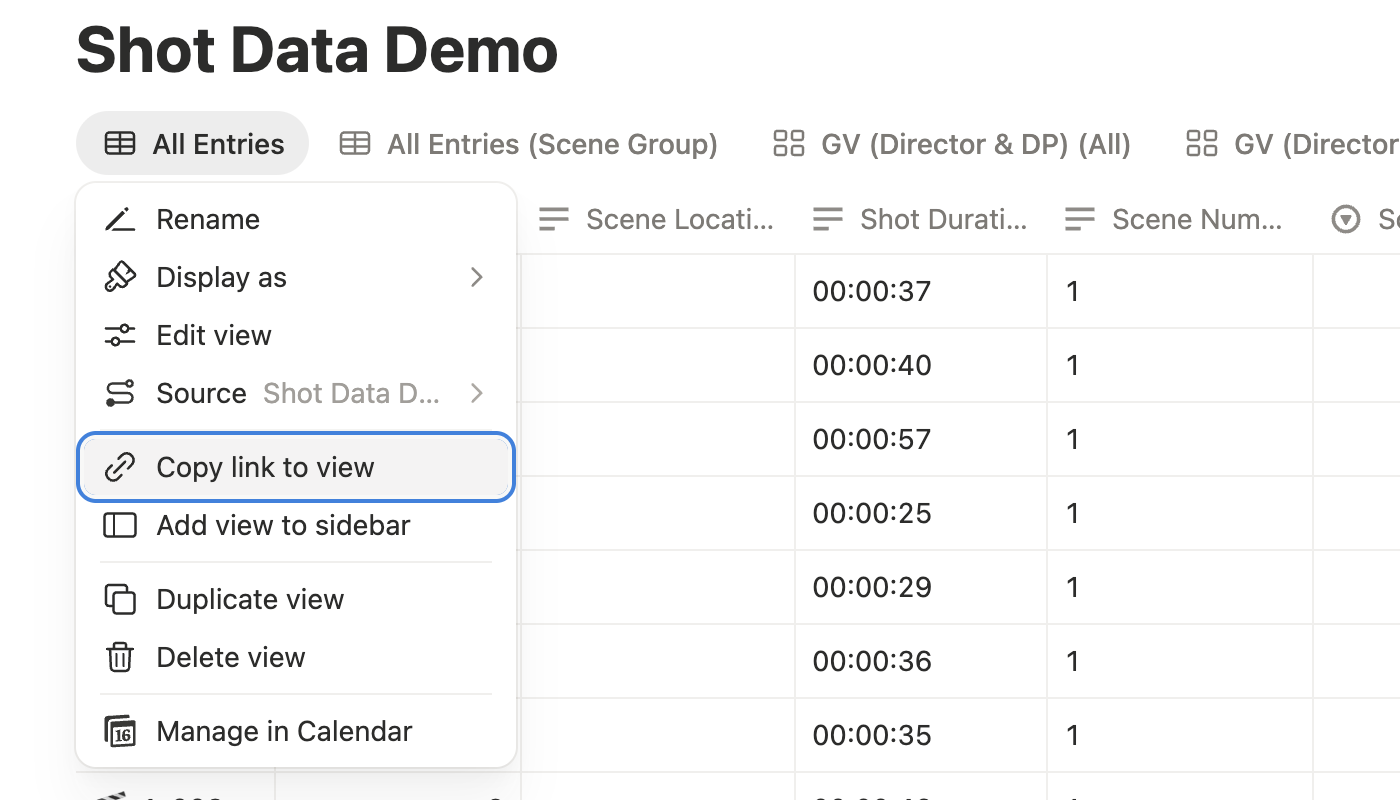
- Go to your Notion Database, and right-click on the view and click Copy link to view.